POWERPOINT MODULE
What is Microsoft PowerPoint?
Microsoft PowerPoint is a presentation software developed by Microsoft that allows users to create slide-based presentations using text, images, charts, animations, audio, and video. It is designed to help users visually organize information and present ideas in a clear, engaging, and structured way.
Why is Microsoft PowerPoint important for students?
PowerPoint is widely used in education, business, and everyday communication. For students, it is an essential tool for reporting, presenting lessons, and sharing ideas confidently in front of an audience. Learning PowerPoint helps develop communication skills, visual design awareness, and teamwork—skills that are valuable in school, college, and future careers.
POWERPOINT MODULE
What is Microsoft PowerPoint?
Microsoft PowerPoint is a presentation software developed by Microsoft that allows users to create slide-based presentations using text, images, charts, animations, audio, and video. It is designed to help users visually organize information and present ideas in a clear, engaging, and structured way.
Why is Microsoft PowerPoint important for students?
PowerPoint is widely used in education, business, and everyday communication. For students, it is an essential tool for reporting, presenting lessons, and sharing ideas confidently in front of an audience. Learning PowerPoint helps develop communication skills, visual design awareness, and teamwork—skills that are valuable in school, college, and future careers.
Learning Objectives
After completing this module, students will be able to:
✅ Explain the purpose of Microsoft PowerPoint as a presentation tool
✅Create well-structured slide-based presentations
✅Apply design principles using layouts, templates, and themes
✅Insert and manage text, images, charts, audio, and video
✅Use animations and transitions appropriately to enhance presentations
✅Practice effective presentation delivery using Presenter View
✅Collaborate with others through shared editing and comments
Learning Objectives
After completing this module, students will be able to:
✅ Explain the purpose of Microsoft PowerPoint as a presentation tool
✅Create well-structured slide-based presentations
✅Apply design principles using layouts, templates, and themes
✅Insert and manage text, images, charts, audio, and video
✅Use animations and transitions appropriately to enhance presentations
✅Practice effective presentation delivery using Presenter View
✅Collaborate with others through shared editing and comments
Key Facts & Background
Origins
PowerPoint was created by Robert Gaskins and Dennis Austin at Forethought, Inc. It was first released for the Apple Macintosh in 1987. Microsoft acquired PowerPoint later that same year, marking its first major software acquisition.
Purpose
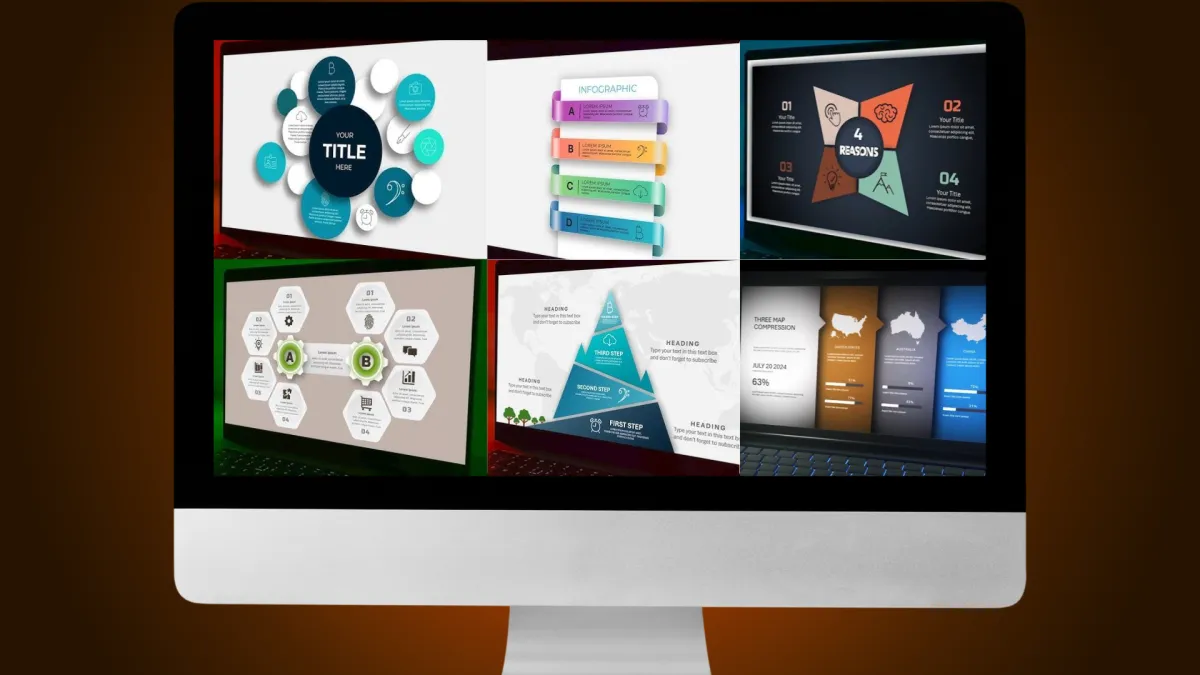
Originally designed for business visual presentations, PowerPoint introduced the now-standard concept of organizing content into slides. Over time, it expanded to include transitions, animations, graphics, multimedia support, and automated design tools.
Platform Availability
PowerPoint is available on Windows, macOS, web browsers, and mobile devices (iOS and Android). Basic features are available for free online, while advanced tools require a Microsoft 365 subscription.
Key Facts & Background
1. Origins
PowerPoint was created by Robert Gaskins and Dennis Austin at Forethought, Inc. It was first released for the Apple Macintosh in 1987. Microsoft acquired PowerPoint later that same year, marking its first major software acquisition.
2. Purpose
Originally designed for business visual presentations, PowerPoint introduced the now-standard concept of organizing content into slides. Over time, it expanded to include transitions, animations, graphics, multimedia support, and automated design tools.
3. Platform Availability
PowerPoint is available on Windows, macOS, web browsers, and mobile devices (iOS and Android). Basic features are available for free online, while advanced tools require a Microsoft 365 subscription.
Core Design Principles In Canva
Layout & Alignment
✔️ Use Grids and Frames to align elements properly
✔️ Use the Position Tool to center and space items evenly
✔️ Keep margins clear to avoid overcrowding the design
Typography
✔️ Limit designs to 2–3 fonts for consistency
✔️ Adjust letter spacing and line spacing for better readability
✔️Use font hierarchy (title, subtitle, body text) to guide viewers
Color and Visual Balance
✔️ Use the Color Picker to match colors from photos or logos
✔️ Stick to a consistent color palette
✔️ Apply transparency and gradients for smooth transitions
✔️ Use white space to keep designs clean
Main Uses of Microsoft PowerPoint
Design Enhancement Tools
✔️Business Presentations
Used for pitches, proposals, strategy briefings, and progress reports. Charts, visuals, and concise text help explain complex ideas clearly.
✔️Education & Training
Teachers use PowerPoint for lectures, workshops, and e-learning materials, while students use it for reports, discussions, and class presentations.
✔️Data Visualization & Infographics
Turn raw data into visual content using charts, diagrams, and SmartArt.
✔️Interactive Presentations & Prototypes
Create clickable slides, quizzes, navigation buttons, or simple mock-ups for apps and websites.
✔️Digital Signage & Displays
Present looping slides for kiosks, bulletin boards, and announcements.
✔️Animated Content & Tutorials
Export slides as videos or GIFs for social media and learning content.
✔️Collaborative Projects
Multiple users can co-edit, comment, and share presentations in real time—ideal for group work.
Key Features & Capabilities
✔️ Ready-made templates and customizable themes
✔️Slide Master for consistent fonts, colors, and layouts
✔️Multimedia integration (text, images, video, and audio)
✔️Animations and slide transitions
✔️SmartArt, charts, and diagrams
✔️Presenter View with speaker notes, timers, and previews
✔️PowerPoint Designer for AI-based layout suggestions
✔️Real-time collaboration and commenting
✔️Cloud saving via OneDrive for easy access and sharing
✔️Office integration with Excel and Word
✔️Advanced visuals such as 3D models and Morph transitions
Basic Steps: Creating a Presentation
1. Open PowerPoint
Choose a blank presentation or select a template that fits your topic.
2. Use Slide Master
Set consistent fonts, colors, and layouts for a professional look.
3. Add Content
• Titles, text, and bullet points
• Charts, diagrams, or SmartArt
• Images, videos, or audio
• Transitions and animations for smooth flow
4. Enhance Slide Design
• Use Design Ideas for layout suggestions
• Keep slides balanced and uncluttered
5. Add Speaker Notes
Include key talking points and use Presenter View while presenting.
6. Collaborate & Share
• Save to OneDrive or SharePoint
• Invite teammates to co-edit and comment in real time
7. Practice & Present
Rehearse using Presenter View, then present or export as PDF, video, or GIF.
8. Upgrade with AI Tools (Optional)
Use Copilot for draft slides, summaries, translations, or narration support.
Practical Applications by Sector
✔️Business & Professional
Sales pitches, investor decks, project proposals, financial briefings, and internal reports.
✔️Education & Training
Classroom lectures, workshops, interactive learning modules, and academic presentations.
✔️Events & Conferences
Keynote speeches, agendas, schedules, and panel discussions.
✔️Creative & Personal Use
Infographics, creative portfolios, animated content, event slideshows, and even informal trends like “PowerPoint parties.”

Why PowerPoint Remains the Industry Standard
✔️Widely compatible across organizations and devices
✔️Familiar and easy-to-use interface
✔️Reliable formatting and presentation consistency
✔️Flexible enough for business, education, and creative use
Despite new presentation tools, PowerPoint remains a trusted and essential platform for visual communication.
Main Uses of Microsoft PowerPoint
Design Enhancement Tools
✔️Business Presentations
Used for pitches, proposals, strategy briefings, and progress reports. Charts, visuals, and concise text help explain complex ideas clearly.
✔️Education & Training
Teachers use PowerPoint for lectures, workshops, and e-learning materials, while students use it for reports, discussions, and class presentations.
✔️Data Visualization & Infographics
Turn raw data into visual content using charts, diagrams, and SmartArt.
✔️Interactive Presentations & Prototypes
Create clickable slides, quizzes, navigation buttons, or simple mock-ups for apps and websites.
✔️Digital Signage & Displays
Present looping slides for kiosks, bulletin boards, and announcements.
✔️Animated Content & Tutorials
Export slides as videos or GIFs for social media and learning content.
✔️Collaborative Projects
Multiple users can co-edit, comment, and share presentations in real time—ideal for group work.
Key Features & Capabilities
✔️ Ready-made templates and customizable themes
✔️Slide Master for consistent fonts, colors, and layouts
✔️Multimedia integration (text, images, video, and audio)
✔️Animations and slide transitions
✔️SmartArt, charts, and diagrams
✔️Presenter View with speaker notes, timers, and previews
✔️PowerPoint Designer for AI-based layout suggestions
✔️Real-time collaboration and commenting
✔️Cloud saving via OneDrive for easy access and sharing
✔️Office integration with Excel and Word
✔️Advanced visuals such as 3D models and Morph transitions
Basic Steps: Creating a Presentation
1. Open PowerPoint
Choose a blank presentation or select a template that fits your topic.
2. Use Slide Master
Set consistent fonts, colors, and layouts for a professional look.
3. Add Content
• Titles, text, and bullet points
• Charts, diagrams, or SmartArt
• Images, videos, or audio
• Transitions and animations for smooth flow
4. Enhance Slide Design
• Use Design Ideas for layout suggestions
• Keep slides balanced and uncluttered
5. Add Speaker Notes
Include key talking points and use Presenter View while presenting.
6. Collaborate & Share
• Save to OneDrive or SharePoint
• Invite teammates to co-edit and comment in real time
7. Practice & Present
Rehearse using Presenter View, then present or export as PDF, video, or GIF.
8. Upgrade with AI Tools (Optional)
Use Copilot for draft slides, summaries, translations, or narration support.
Practical Applications by Sector
✔️Business & Professional
Sales pitches, investor decks, project proposals, financial briefings, and internal reports.
✔️Education & Training
Classroom lectures, workshops, interactive learning modules, and academic presentations.
✔️Events & Conferences
Keynote speeches, agendas, schedules, and panel discussions.
✔️Creative & Personal Use
Infographics, creative portfolios, animated content, event slideshows, and even informal trends like “PowerPoint parties.”
Why PowerPoint Remains the Industry Standard